Software Developer License
Software Developer license is meant for building commercial and distributable software applications which use LightningChart Python. This perpetual license can be purchased for a single developer, or a team of multiple developers. After purchasing the license, it comes with dedicated developer and deployment keys, which are accessed through Customer Portal. When licenses are purchased, they are assigned to 1 Portal account ("Team manager").
Developer key
Developer licenses are purchased according to development team size, usually at the same time as deployment licenses. For a team of software developers, everyone who needs to have the charts running/visible as part of their development activities needs their own developer license key, since developer keys have a session limit of one active session at a time. Developer licenses require internet connection for verification.
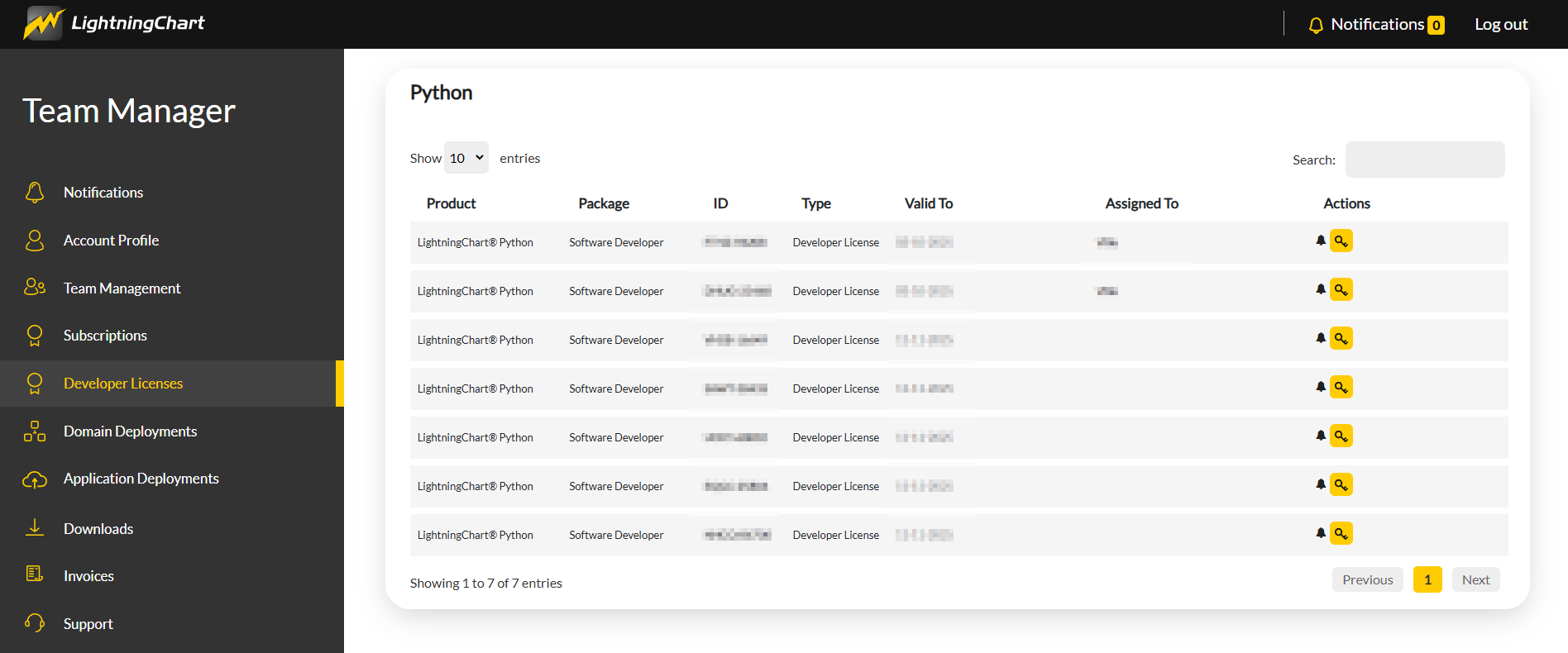
The Team manager can access all their developer licenses under Portal > Developer Licenses. This view shows all available developer licenses (1 per purchased seat). The license key of a particular Developer seat can be downloaded by clicking on the yellow key icon:
To use the Developer license, pass the license key to the set_license method under lightningchart:
import lightningchart as lc

license_key = '0002-...'
lc.set_license(license_key)

# Or alternatively, read the key from a text file:
lc.set_license(open('./license-key.txt').read())
Deployment key
Deployment key is meant to be packaged within the executable software which will be released to the public.
Usage of deployment keys in public domains/websites, or anywhere where the license key is readily available and visible to the end user is prohibited.
Configuring deployment license
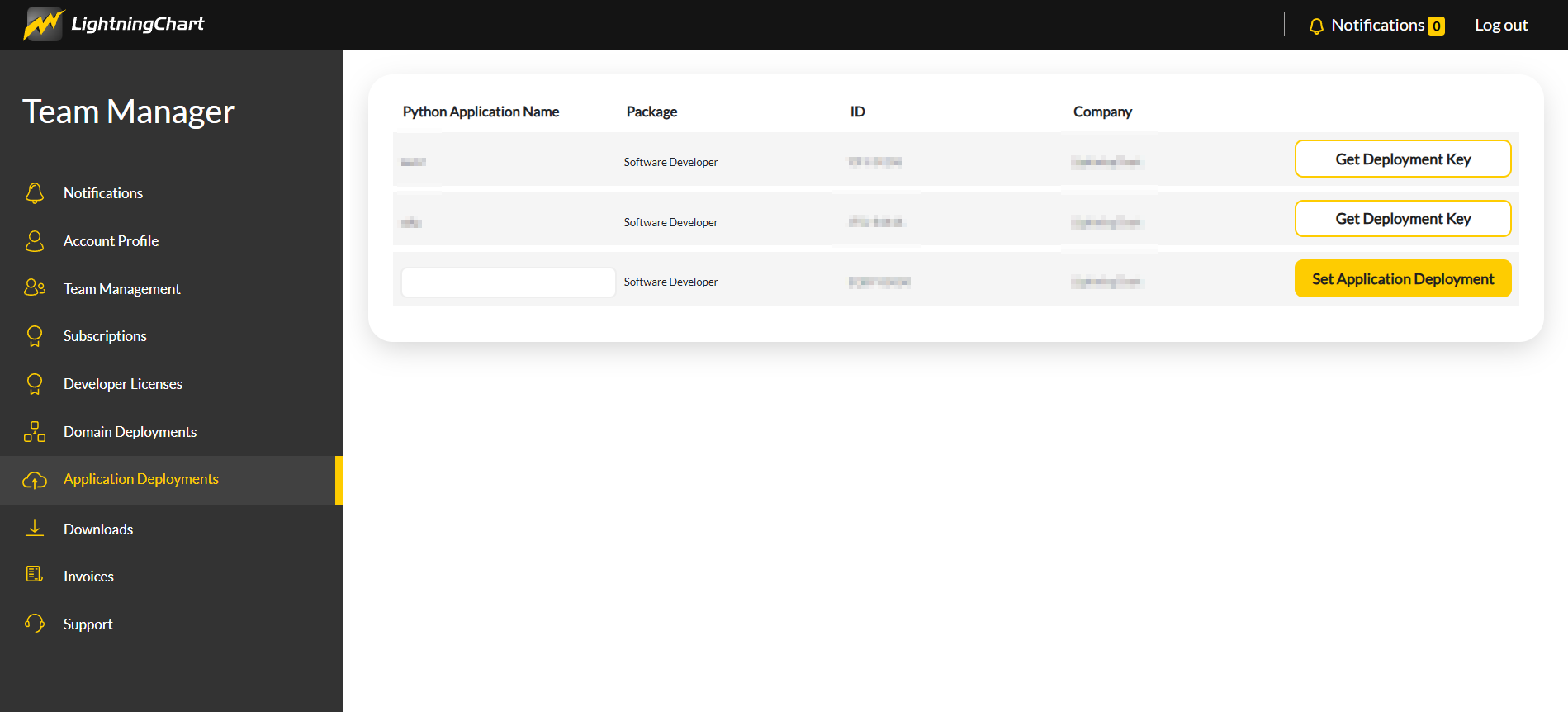
If a Team manager has a deployment license that is not yet configured, they will see a button for "Set Application Deployment" in Portal > Application Deployments
Deployment licenses have to be branded with an unique application name, which is also tied to your company (according to value in Portal > Account Profile > Company).
To start using a deployment license, fill the application name into the field under "Python Application Name" and click "Set Application Deployment". Please note that this application name or company name can't be changed afterwards!
Accessing deployment license key
If a Team manager has a configured deployment license, they will see it listed in Portal > Application Deployments
They will also have access to a button: "Get Deployment Key", which generates a license key you can use when deploying to production.
Using the deployment license key
To use the deployment license, pass the license key and additional license_information
parameter with values for properties appTitle and company
to the set_license method under lightningchart:
import lightningchart as lc

license_key = '0002-...' # Your Python Application Deployment key
application_name = '' # Your Python application name defined in Portal
company_name = '' # Your company name defined in Portal

lc.set_license(
    license_key=license_key,
    license_information= {
        'appTitle': application_name,
        'company': company_name,
    }
)
The value of appTitle must match the Application Name given through the Portal UI.
The value of company must match your Portal Account Profile "Company" field value at the time when the "Get Deployment Key" button was used.