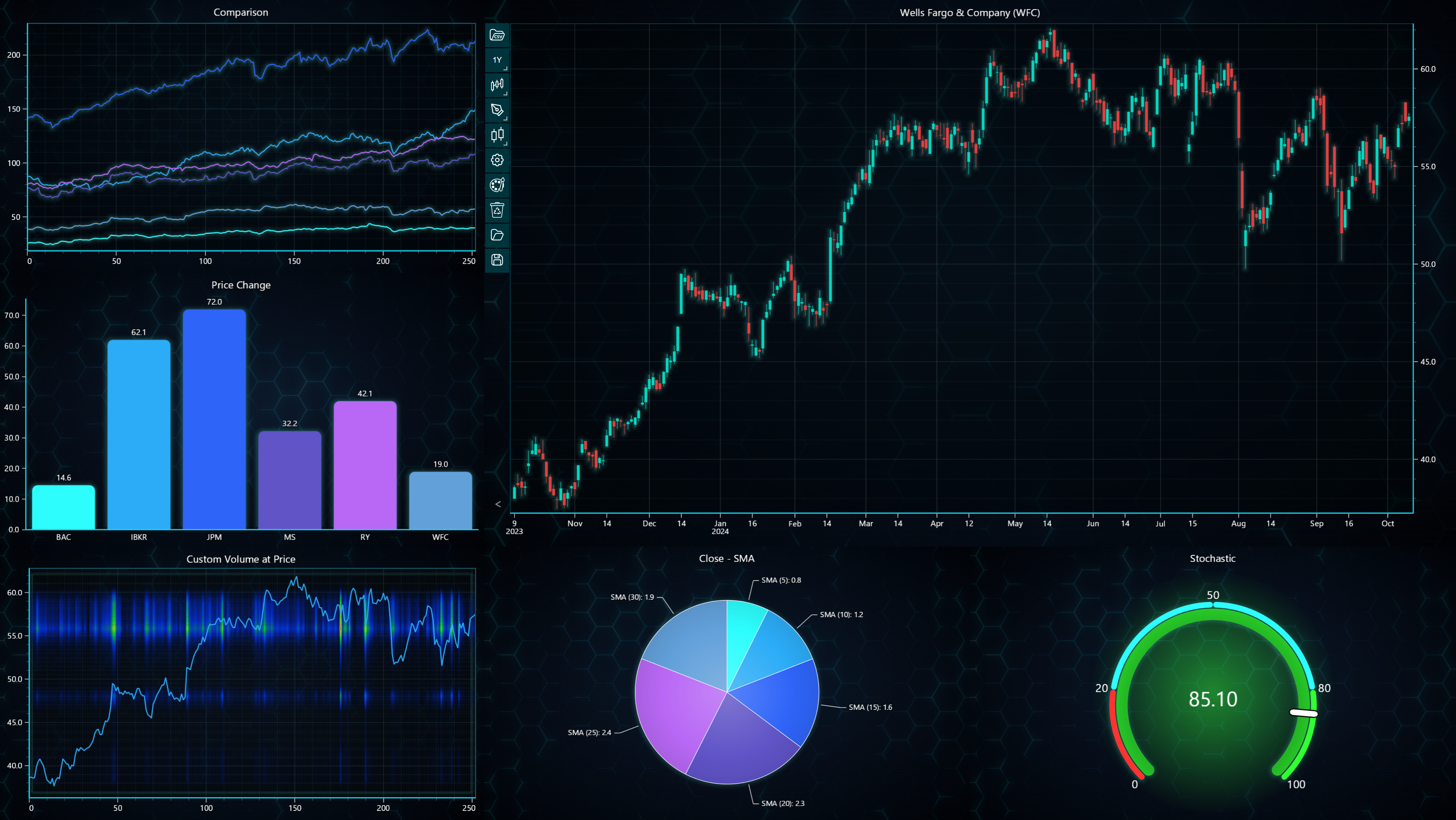
Combining charts
Purchasing LightningChart JS Trader allows using both Technical Analysis Charts and regular LightningChart JS charts. However, the regular charts are used slightly differently compared to non-Trader subscriptions.
To create regular JS charts with Trader license, the same TraderEntry has to be used that is used to create the Technical Analysis Chart. Note that the same license key is used for both products. No separate keys or additional purchases are required.
// Using regular LightningChart JS charts together with Technical Analysis Charts.
import { trader } from "@lightningchart/lcjs-trader";

trader('my-license-key')
    .then(traderEntry => {
        const tradingChart = traderEntry.tradingChart({loadFromStorage: false, parentElement: yourTraderContainer, colorTheme: Themes.turquoiseHexagon})

        const chartXY = traderEntry.lightningChart().ChartXY({ container: yourXYContainer })
        .setTitle('XY Chart')

        const chart3D = traderEntry.lightningChart().Chart3D({ container: your3DContainer })
        .setTitle('3D Chart')
    })
Once the charts have been created, you can freely configure them like any regular LightingChart JS chart. The chart can also be synchronized by using events.
// Adding a series to XY-chart, and an event to it to modify TA-chart when the series is clicked.
chartXY.addPointLineAreaSeries({ schema: { x: { pattern: 'progressive' }, y: { pattern: null } } })
.addEventListener('pointerdown', () => {
    // Do something in Technical Analysis Chart.
})
LightningChart JS Trader subscription allows using all types of JS charts, including XY, 3D, Polar, Pie charts, Map charts, and DataGrid. To find out more about available charts in LightningChart JS, and how to use them, please check the Interactive Examples and the respective documentation.