Removing drawing tools
Drawing tools can be removed from the chart via user interface, or in code.
Removing via user interface
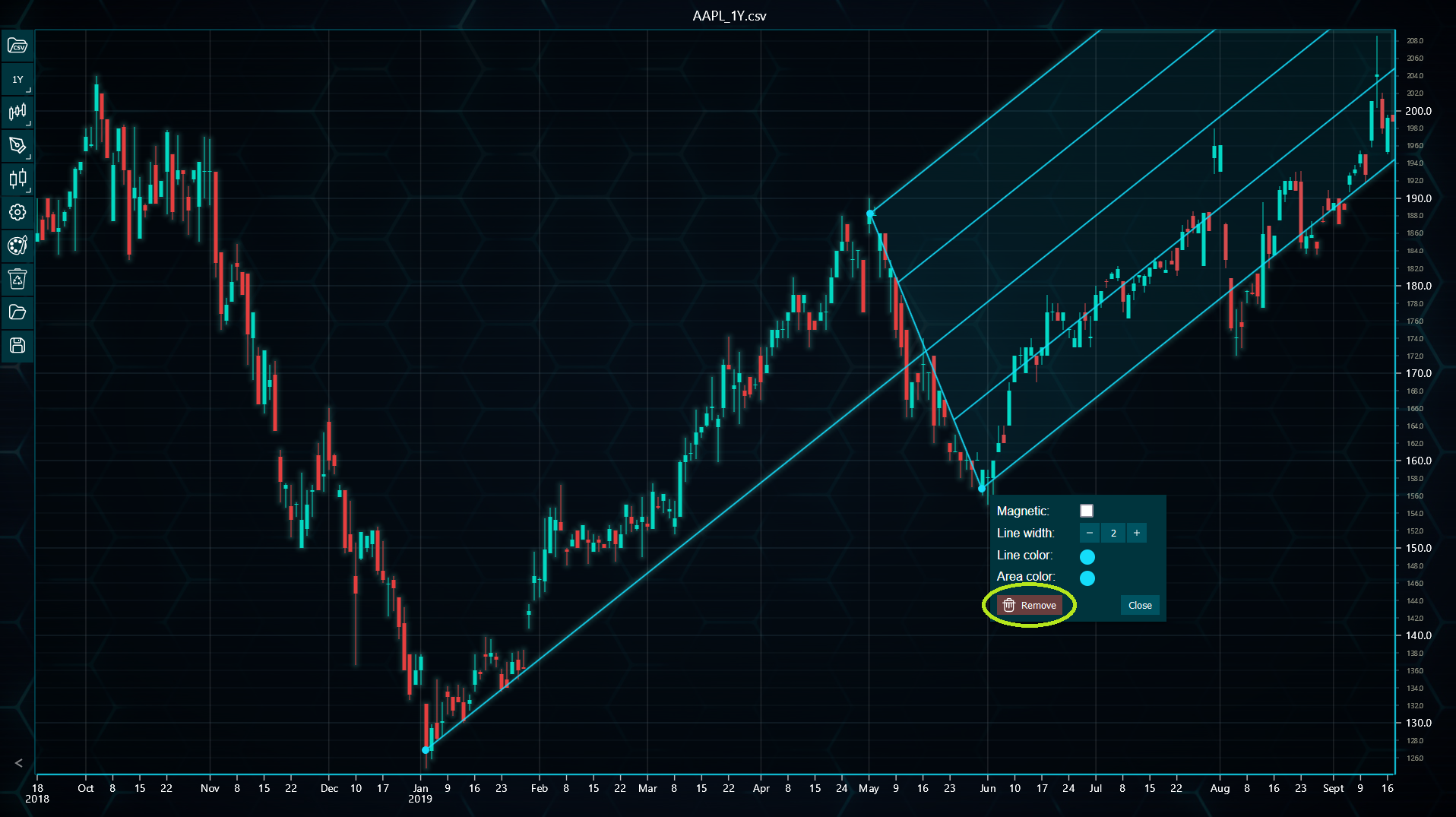
All drawing tools can be removed by clicking the Remove button found in the drawing tool settings menu, that is brought up by right-clicking any of the tool's control points. Some drawing tools, such as horizontal and vertical lines, arrows and text elements, don't have control points. In these cases, right-clicking anywhere over the tool brings up the menu.
Amongst the settings buttons in the top-right corner, there is also Clear contents button. Clicking this opens various clearing options including a button to remove all added drawing tools from the chart.
Removing drawing tools in code
Drawing tools can be removed in code can be done by calling dispose() method. The drawing tool must be saved as a variable beforehand.
// Assign drawing tool as a variable.
const trendLine = tradingChart.drawingTools().addTrendLine(10, 30, 40, 20)

// Then later remove it.
trendLine.dispose()
You can also remove all drawing tools simultaneously by calling disposeAllDrawingTools() found under chart.drawingTools() method.
tradingChart.drawingTools().disposeAllDrawingTools()