Adding indicators
Technical indicators can be added to the chart via user interface, or in code.
Adding indicators via user interface
The chart user interface includes Indicators button within the toolbar to the left of the chart. Clicking this opens the indicator menu, which contains all available indicators divided in several categories based on the characteristics of the indicator. Clicking a category shows a list of all indicators it contains. Then, click the indicator name to add it to the chart.
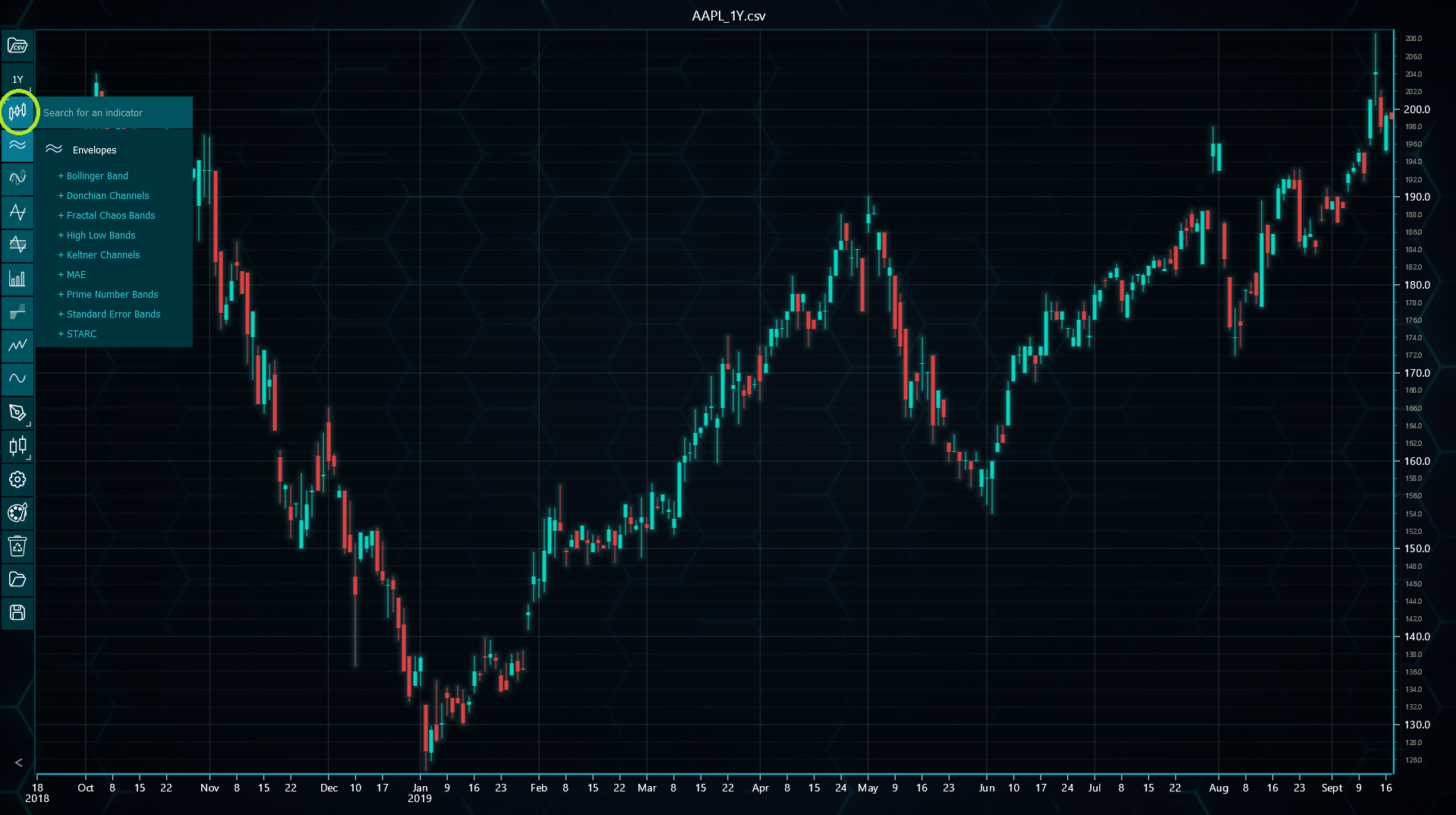
Indicators can be added even before any data has been loaded to the chart, since they are automatically updated every time the loaded dataset changes.
Adding indicators in code
Technical indicators can also be added in code. This can be done by calling respective add...() method found under chart.indicators() method.
Some indicators allow setting the number of time periods when adding them. This is optional though, and can be changed later.
// Adding two indicators in code, the latter with a new time period count.
tradingChart.indicators().addSimpleMovingAverage()
tradingChart.indicators().addAroon(20)
It should be noted that adding indicators in code does not take local storage into account. This means that if loading from / saving to storage is enabled, the chart loads indicators both from local storage and from code, leading to a situation where the chart could have duplicate indicators.