Custom indicators
Technical Analysis Charts allow users to create their own indicators with CustomOverlay and CustomStudy classes. In general, they work the same way as all the other indicators. However, while other indicators' data points are calculated automatically, custom indicators require adding own data points after they have been created. Use setData() method to add a new dataset to the indicator, replacing existing data, or addData() to add points to the end of the existing data. Both methods accept an array of numbers. X-values (time values) don't have to be added since custom indicators get them automatically from the trading data. If the indicator data should be moved horizontally, use setOffset() method.
Note that the custom indicators are not updated automatically like other indicators when the dataset changes. Therefore, the above methods have to called again to ensure the custom indicator is up-to-date.
Custom indicators can also be created with heatmaps, or by using internal chart instance.
Custom overlay
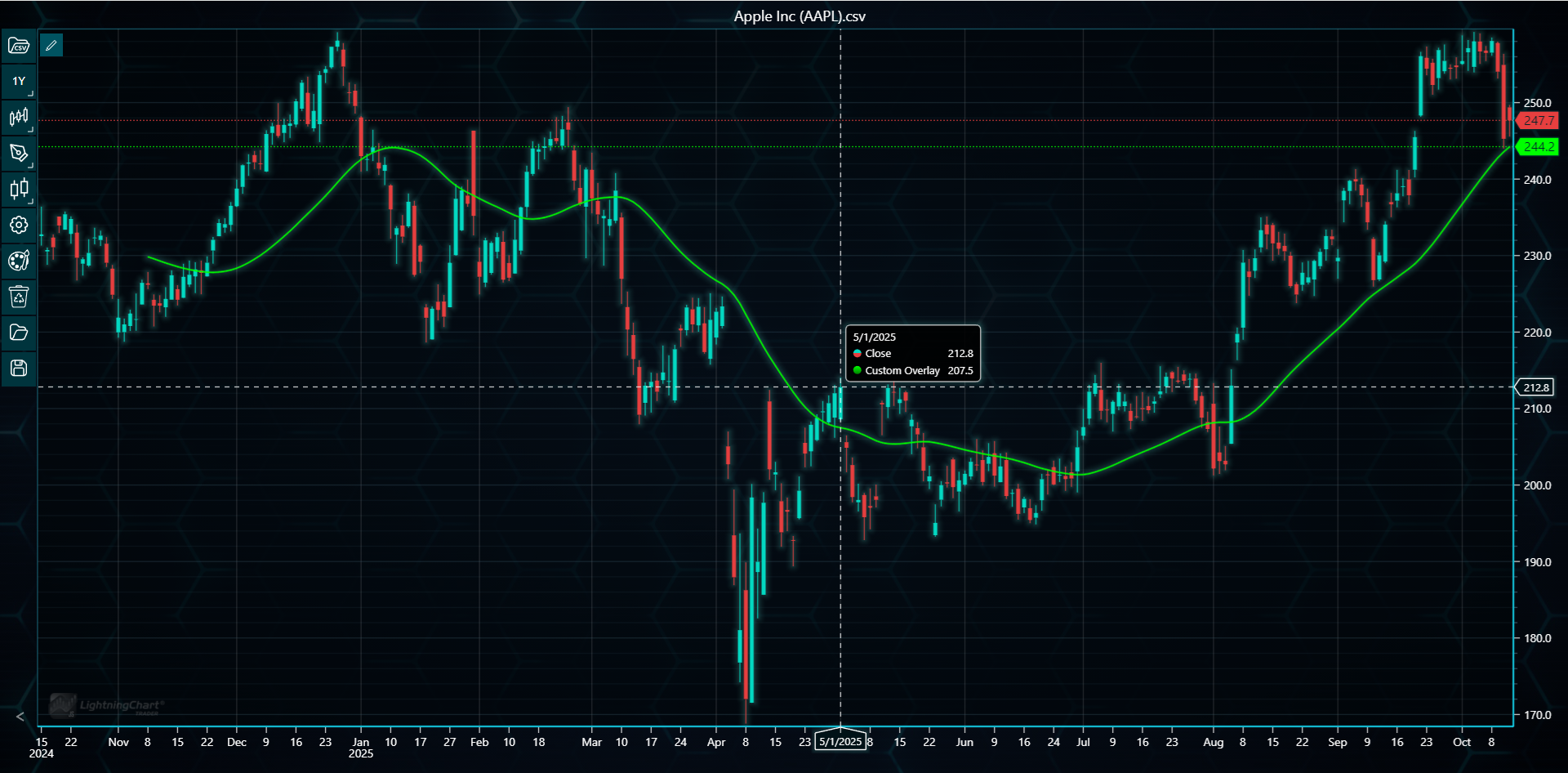
Custom Overlay draws a single line on top of the trading data similarly to moving averages. setLineWidth() and setLineColor() methods can be used to modify the indicator's appearance.
// Adding Custom Overlay indicator based on double Welles Wilder Smoothing.
// Technical Analysis Methods are used to calculate the smoothings.
const co = tradingChart.indicators().addCustomOverlay()
co.setName('Custom Overlay')
co.setLineColor('#00FF00')
co.setLineWidth(2)

const dataset = tradingChart.getData(false)
const taMethods = new TechnicalAnalysisMethods(tradingChart)
const wwsValues = taMethods.calculateWellesWilderSmoothing(dataset[4] as number[], 10)
const coValues = taMethods.calculateWellesWilderSmoothing(wwsValues, 10)

co.setData(coValues)
co.setOffset(dataset[4].length - coValues.length)
Custom study
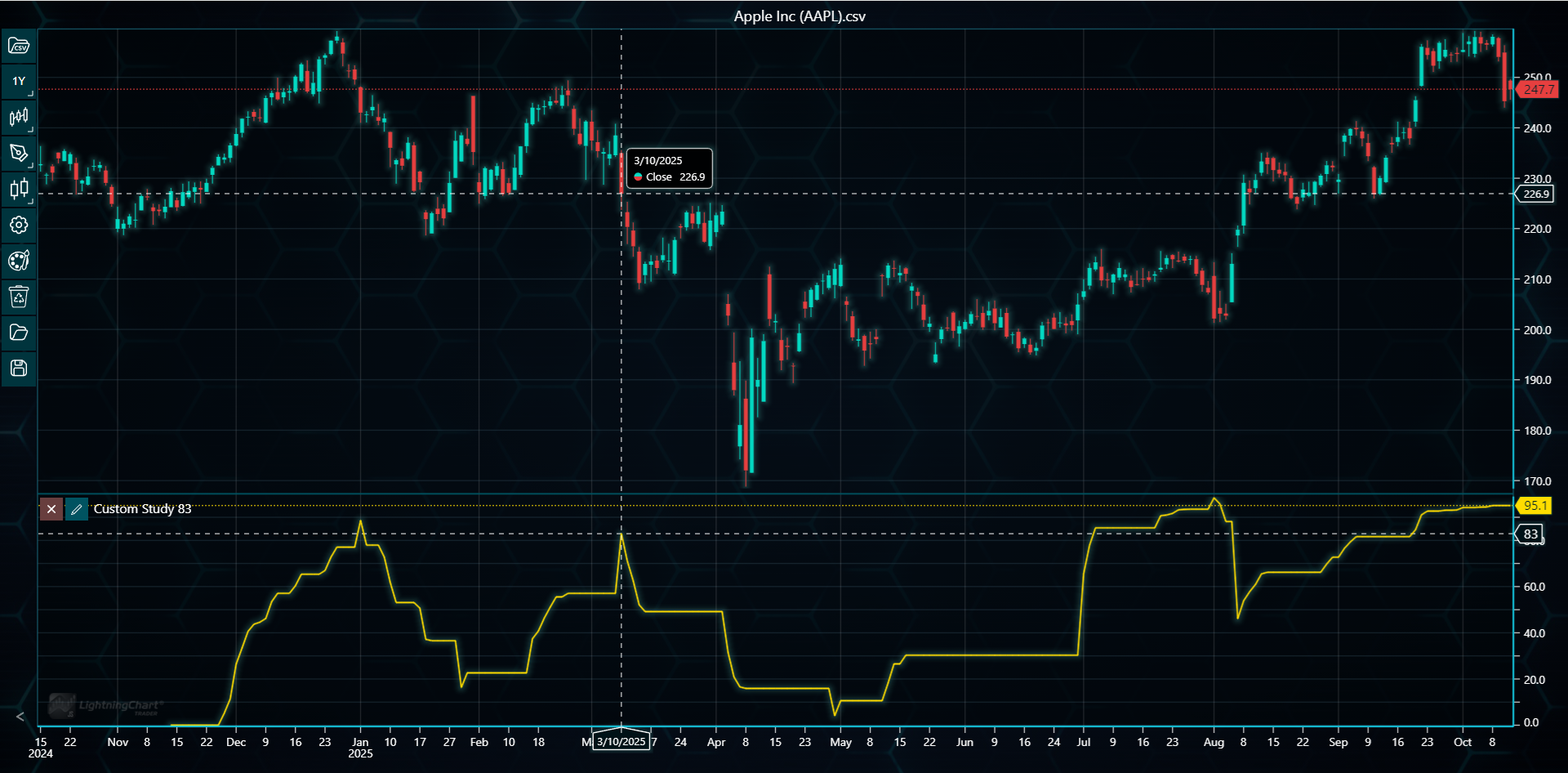
Custom study draws a single line in a separate segment below the main chart. setLineWidth() and setLineColor() methods can be used to modify the indicator's appearance.
// Adding Custom Study indicator showing Relative Strength Index based on Supertrend.
// Technical Analysis Methods are used calculate the Supertrend and the RSI values.
const cs = tradingChart.indicators().addCustomStudy()
cs.setName('Custom Study')
cs.setLineColor('#FFDD00')
cs.setLineWidth(2)

const dataset = tradingChart.getData(false)
const taMethods = new TechnicalAnalysisMethods(tradingChart)
const stValues = taMethods.calculateSuperTrend(dataset[4] as number[], dataset[2] as number[], dataset[3] as number[], 10, 3)
const csValues = taMethods.calculateRelativeStrengthIndex(stValues, 14)

cs.setData(csValues)
cs.setOffset(dataset[4].length - csValues.length)